

In this article8 sections
Witanworld Help Center Guide
Estimated Reading Time: 8–10 Minutes
In this guide: what groups are, how to join, posting, @mentions, polls, events, inviting people, creating your own group, and the do's and don'ts. Download the illustrated PDF guide · Browse groups
1. WHAT WITANWORLD GROUPS ARE
Groups are where Witanworld members learn together around a subject: ask questions, share experience, run polls and events, and get known for what you know. Promoting your own work is welcome when it is relevant and useful to the group – that is how members share what they know and grow.
| Type of group | What it is |
|---|---|
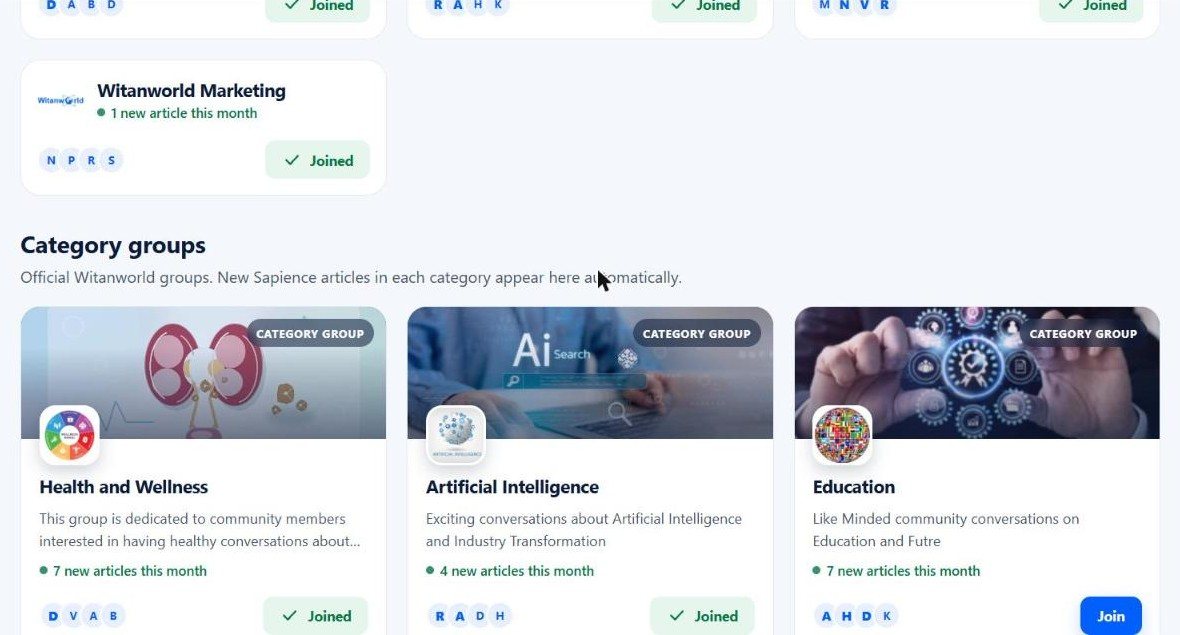
| Category groups | Official Witanworld groups (for example Health and Wellness, Artificial Intelligence, Education). New Sapience articles in their category appear in them automatically. |
| Community groups | Groups created by members around a profession, industry, city or interest. |
| Public groups | Anyone can read the posts; members post and comment. |
| Private groups | Only members can see the posts. You ask to join and an admin approves. |
2. FINDING AND JOINING GROUPS
Go to Community › Groups. Search by name, or filter by Category groups, Community groups or Your groups.
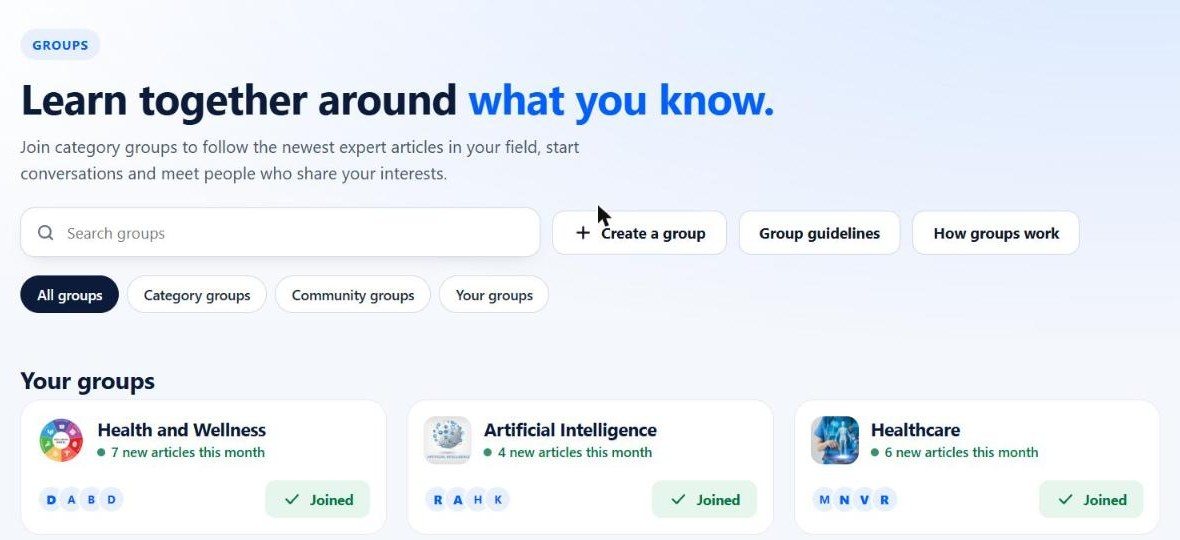
- Public group: click Join. You are a member at once.
- Private group: click Join to send a request. The button shows Request sent until an admin approves, and you get a notification when you are in.
- Invited by someone? Open the invitation in your notifications and join straight away.
- Leaving: open the group and click Leave group in the About box.
3. INSIDE A GROUP
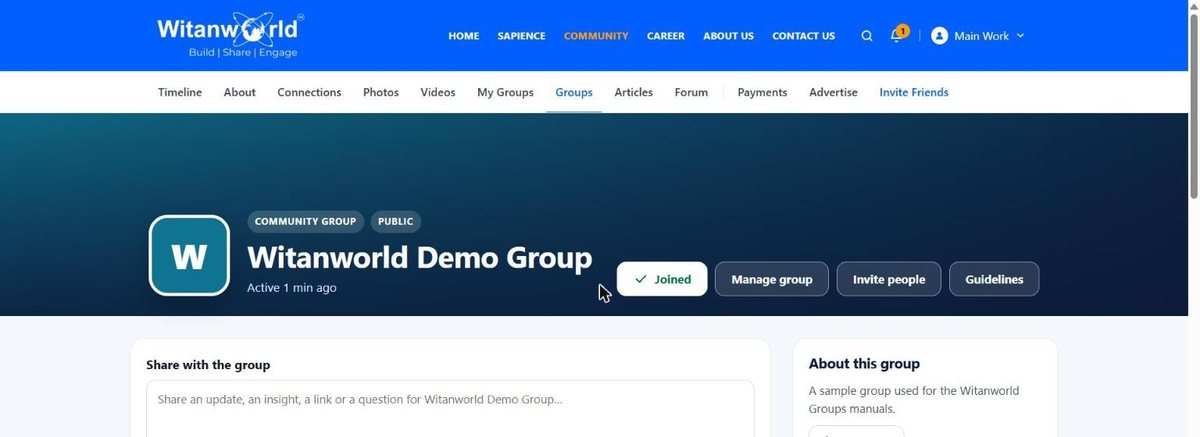
The group page shows the posts, an About this group box with its description and rules, the members, related questions from the Forum and similar groups. The Guidelines button opens the Groups Community Guidelines at any time.
3.1 Writing a post
Use Share with the group at the top of the feed. Write your post and, if you like, click + Add photos, + Poll or + Event. Then click Post.
3.2 Mentioning someone
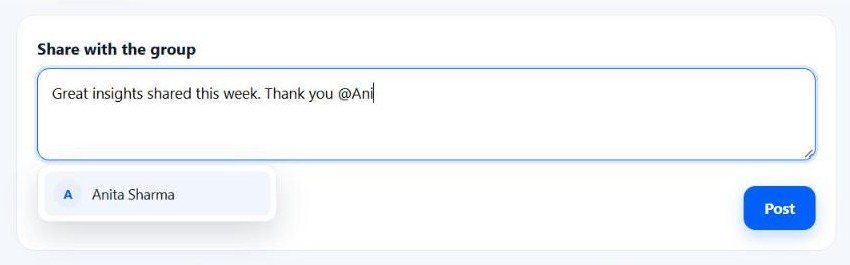
Type @ followed by the first letters of a name and pick the person from the list. They get a notification, and their name links to their profile.
3.3 Polls
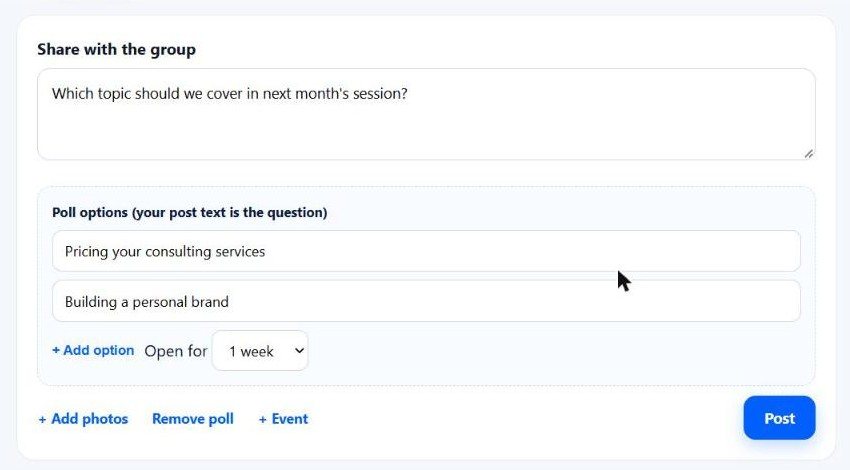
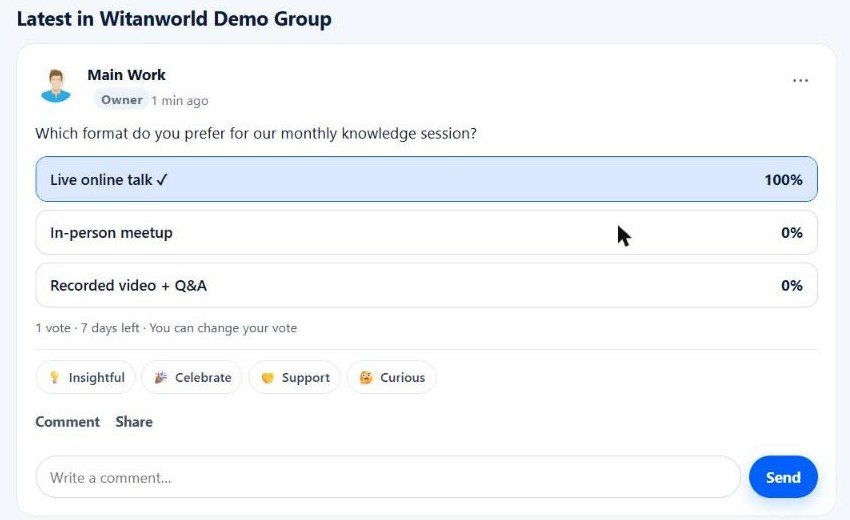
Click + Poll. Your post text is the question; add 2 to 6 options and choose how long the poll stays open. Members vote with one click and can change their vote until it closes.
3.4 Events
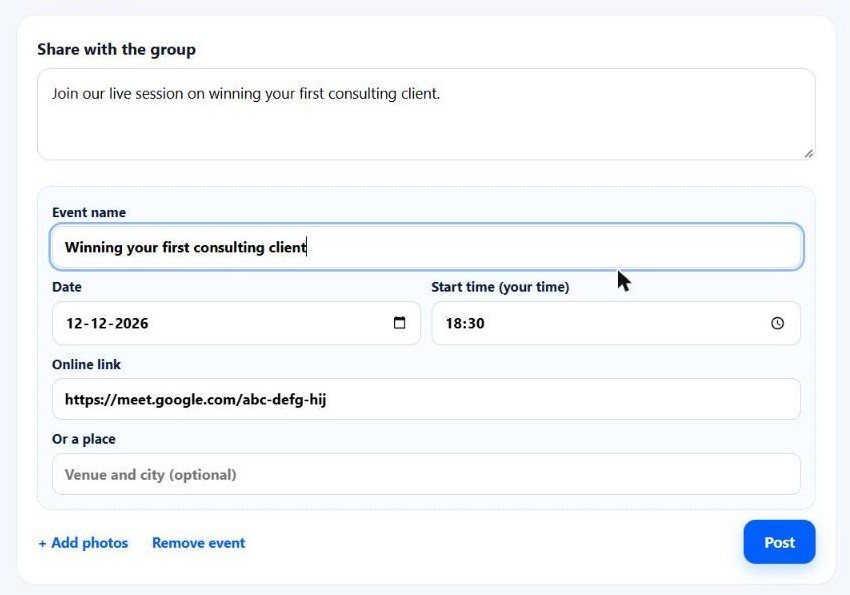
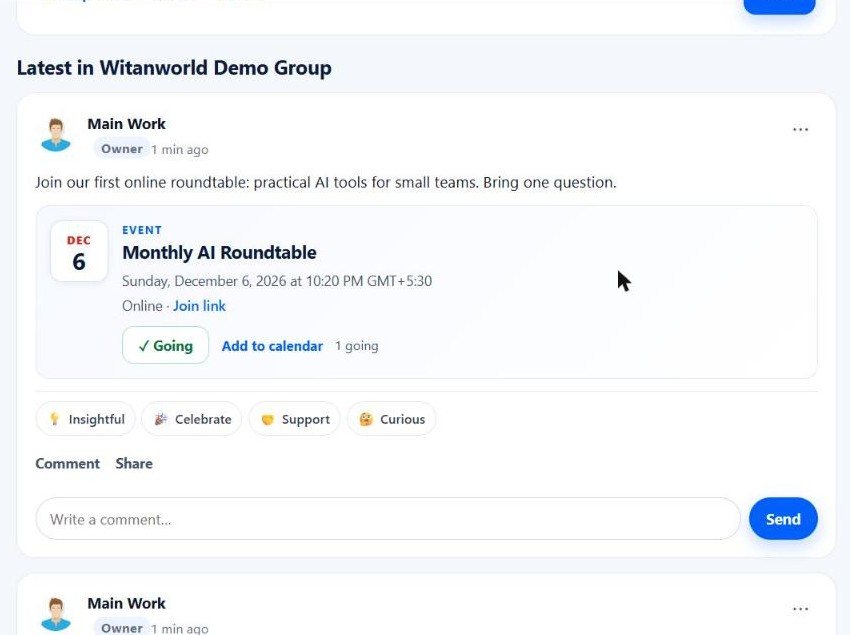
Click + Event and add the event name, date, start time (your time zone) and an online link or a place. Members click Going to RSVP, and get a Witanworld reminder in the 24 hours before it starts.
3.5 Comments, replies and reactions
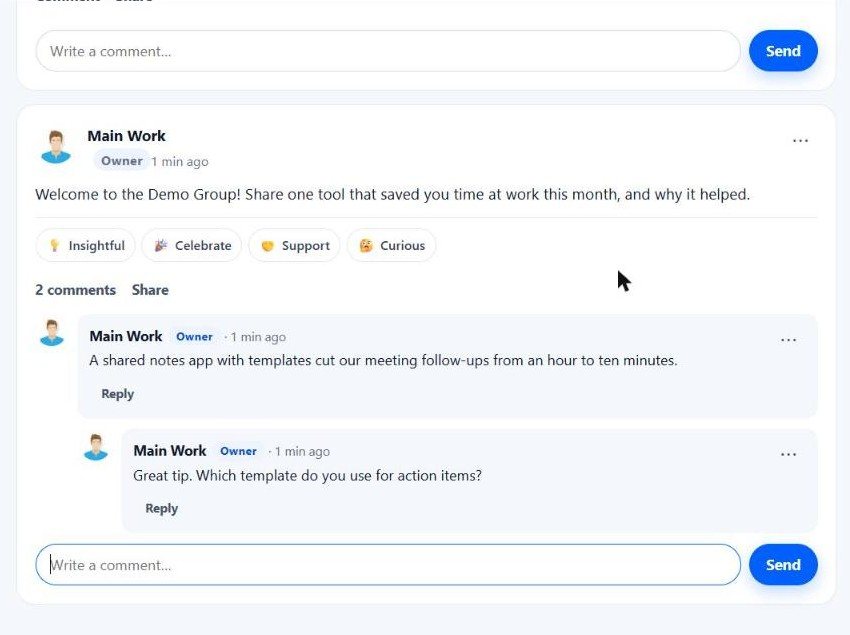
- React with Insightful, Celebrate, Support or Curious.
- Click Comment to join the discussion, and Reply to answer someone directly.
- The author is notified when you comment; the person you reply to is notified too.
3.6 Editing or deleting what you wrote
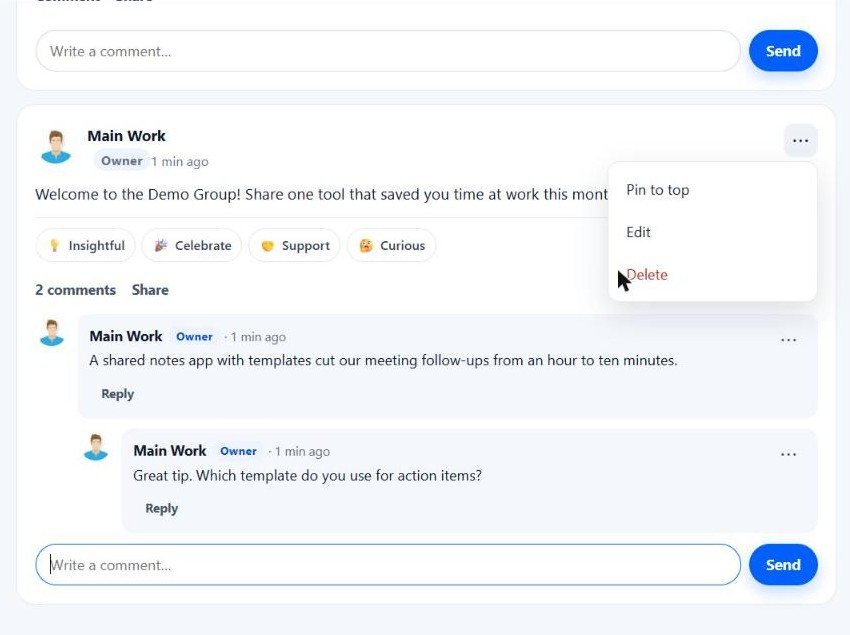
Click ⋯ on your own post or comment and choose Edit or Delete.
3.7 Inviting people
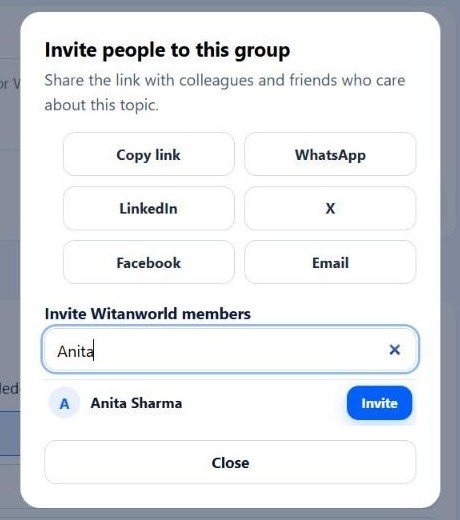
Click Invite people. Copy the link or share it on WhatsApp, LinkedIn, X, Facebook or email, or search for Witanworld members by name and click Invite. Invited members can join straight away, even private groups.
3.8 Reporting a problem
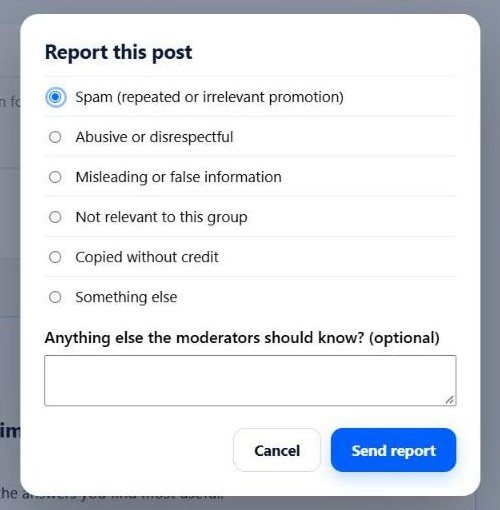
If a post or comment breaks the guidelines, click ⋯ › Report, choose a reason and add a note if it helps. The group's moderators review it; your name is never shown to the author.
4. CREATING AND RUNNING YOUR OWN GROUP
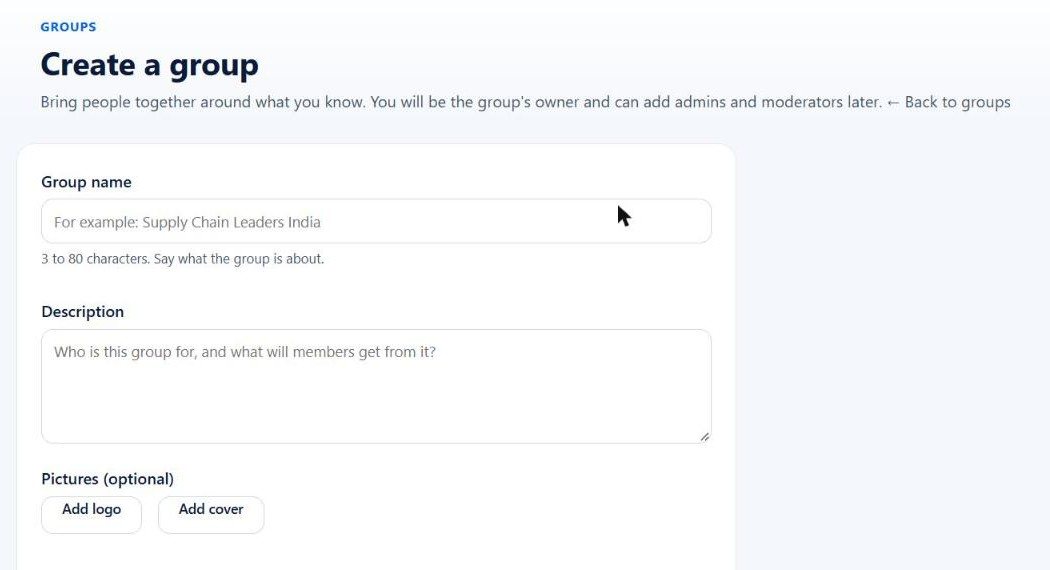
From the Groups directory click + Create a group.
- Give the group a clear name (3 to 80 characters) that says what it is about.
- Write a description: who the group is for and what members get from it.
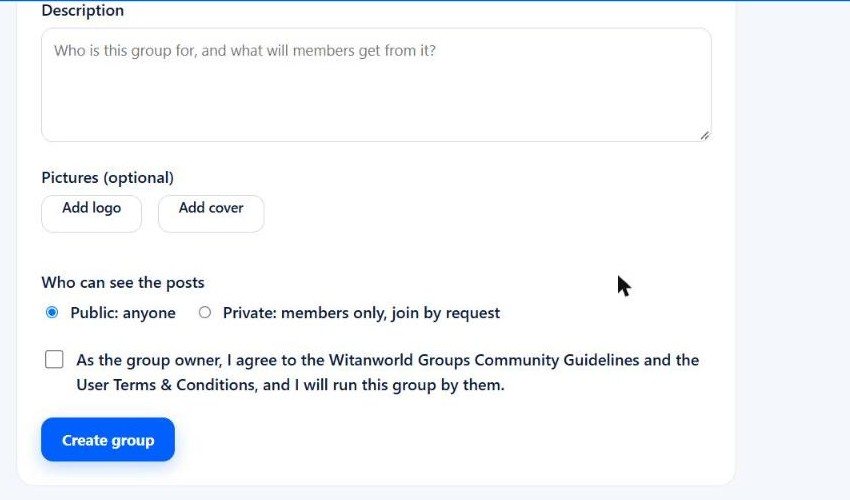
- Add a logo and cover picture (optional, but groups with pictures attract more members).
- Choose Public or Private.
- Tick the box to agree to the Groups Community Guidelines and the User Terms & Conditions, then click Create group.
As the owner you can use Manage group to add admins and moderators, approve join requests, review reports, set group rules and see Insights.
Tips for a thriving group: pin a welcome post that says what the group is for; post something useful every week (a question, a poll, a short lesson, an event); invite colleagues who care about the subject; and thank people who contribute.
5. DO'S AND DON'TS
✅ Do
- Share real knowledge: what you have learned from work, study or research, with examples and sources.
- Promote your work when it is relevant: your article, course, service or product is welcome if it helps the group. Say clearly that it is yours.
- Ask clear questions: say what you have already tried, and thank people who help.
- Disagree respectfully: challenge ideas, not people. Assume good intent.
- Give credit: name and link the people, articles and studies you draw on.
- Stay relevant: post in the group the content fits best.
- Protect privacy: keep personal details – yours and others' – out of public posts.
- Report, don't retaliate: use Report and let the moderators handle it.
⛔ Don't
- Spam: the same link or message again and again, or promotion unrelated to the group.
- Abuse: insults, harassment, hate speech, threats or personal attacks.
- False or dangerous information, especially about health, money or the law.
- Copying: posting someone else's work as your own.
- Scams and shady offers: exam dumps, guaranteed returns, "WhatsApp me" schemes, betting or adult content.
- Sharing private information about other people without their consent.
- Fake accounts or pretending to be someone else.
The spam filter: posts with many links, known spam phrases, or the same message repeated many times are held automatically until a moderator reviews them. If that happens to a genuine post, you will be told and a moderator will restore it.
6. IF YOUR CONTENT IS REMOVED
Moderators can remove posts and comments that break the guidelines, and in serious cases remove a member from a group. You will receive a Witanworld notification with the reason. Nothing is permanently deleted.
If you think a decision was wrong, you can appeal within 30 days through Contact Us. A Knowledge Moderator reviews it and replies; if the decision was a mistake, your content is restored.
7. FREQUENTLY ASKED QUESTIONS
Why can't I see a group's posts?
It is a private group. Click Join to send a request.
My join request has been waiting.
The group's admins approve requests and you will be notified. You can also message the group owner.
I can comment but not post.
Some groups let only the owner, admins and moderators post. You can still comment and react.
My post disappeared.
It may be held by the spam filter or removed by a moderator; check your notifications.
Can I promote my business?
Yes, when it is relevant to the group and adds value. Don't repeat it or post it everywhere.
How do I leave a group?
Open the group and click Leave group.
READY TO START?
Browse groups and join one today →
Read the Groups Community Guidelines · Download this guide as a PDF
Enjoyed this? Get more from Witanworld
Follow experts in your field, ask questions in groups and the forum, and publish your own articles.
You may also like



More from Main Moderator
Comments
No comments yet. Share what you think or add your experience.