






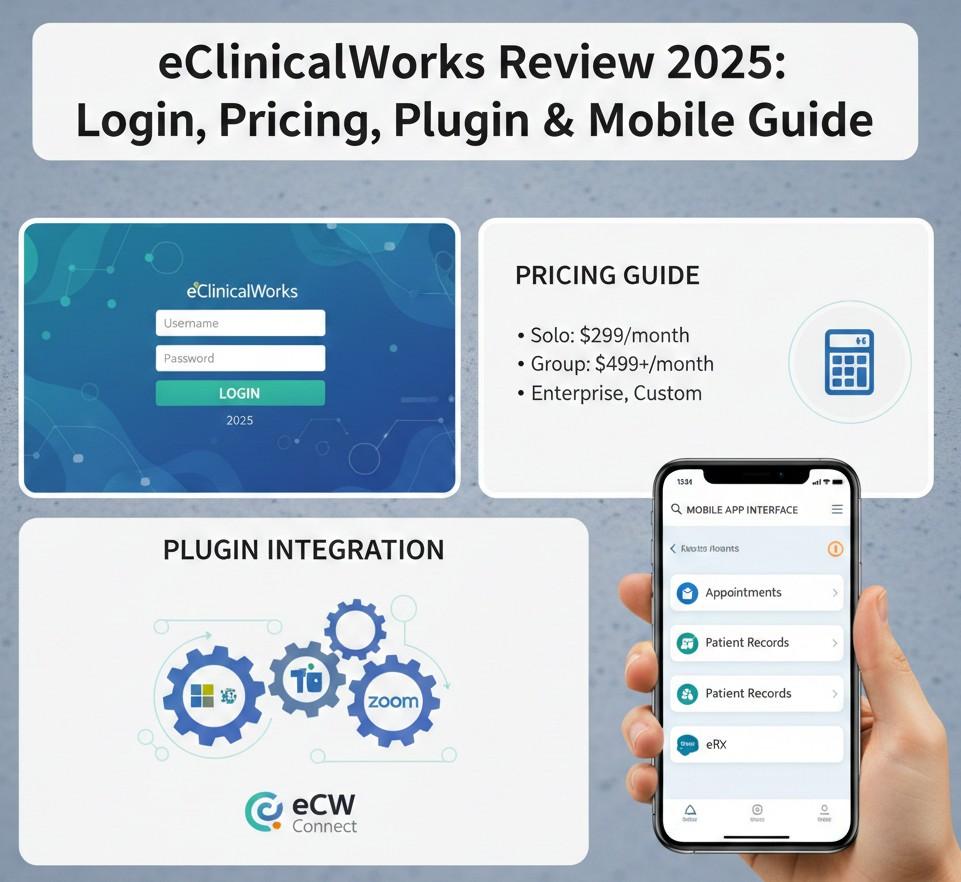
As we navigate the healthcare technology landscape of 2025, the demand for interoperability and AI-driven documentation is higher than ever. Independent medical practices are looking for solutions that do more than just store data; they need systems that actively reduce administrative workload. eClinicalWorks (widely known as eclinicalworks ecw) stands out as a top contender in this space.
However, adopting such a robust platform comes with questions. How do you navigate the secure eclinicalworks login? Is the eclinicalworks plugin download necessary for every workstation? And does the current eclinicalworks pricing structure offer value for money?
In this guide, we explore the eclinical emr capabilities, the eclinicalworks mobile ecosystem, and the latest market feedback.
1. Defining the Platform: eClinicalWorks
eClinicalWorks is a cloud-centric eclinical emr designed to unify the clinical and financial aspects of a medical practice. When you see the eclinicalworks logo, it represents a massive network of over 130,000 providers.
In 2025, the platform focuses heavily on “intelligence.” New features like the AI assistant (Sunoh.ai) allow providers to draft notes simply by listening to the patient conversation, significantly speeding up the documentation process compared to older versions.
2. Portal Management: Login & My.eClinicalWorks
Efficiency begins with access. Understanding the difference between the various portals is critical for staff training.
- eClinicalWorks Login: This is the primary clinical portal. It is web-based, allowing authorized providers to access patient records securely from any location.
- My.eClinicalWorks: This is the administrative backbone. IT managers and super-users visit my.eclinicalworks to access the “Knowledge Base,” submit support tickets, and manage software upgrades.
- Health eClinicalWorks: This is the patient engagement arm (Healow). By utilizing health eclinicalworks features, practices can offer online scheduling and telehealth, which integrates directly into the provider’s calendar.
3. Technical Setup: The eClinicalWorks Plugin Download
While the system is accessible via a browser (Chrome/Edge), it still needs to communicate with local hardware like document scanners and Dymo label printers.
To bridge this gap, you must perform the eclinicalworks plugin download.
This file is not publicly available on the web. It is hosted securely within the my.eclinicalworks support portal. Installing this plugin is a mandatory step for front-desk computers to ensure that scanning insurance cards and printing labels happens seamlessly without browser errors.
4. Work from Anywhere: eClinicalWorks Mobile
The modern physician needs mobility. The eclinicalworks mobile app suite (eClinicalMobile and eClinicalTouch) transforms an iPad or smartphone into a fully functional workspace.
- On-Call Management: Access patient history and pharmacy details instantly during after-hours calls.
- Telehealth: Launch video visits directly from the mobile app.
- Scribing: Use voice-to-text features on your phone to update charts on the fly.
5. Investment Analysis: Pricing & Services
One of the most attractive aspects for independent groups is the transparent eclinicalworks pricing structure.
- EHR Subscription: The standard cost is approximately $449/month per provider for the core clinical tools.
- RCM Services: For practices struggling with collections, eclinical services offer a Revenue Cycle Management option. Instead of a flat fee, eCW takes a percentage (typically 2.9%) of collections, handling the entire billing process from claim submission to denial management.
6. Market Verdict: eClinicalWorks Reviews
Before committing, it is wise to consult peer feedback. eClinicalWorks rewiews (reviews) in 2025 show a trend toward satisfaction with innovation.
- Pros: The “Prisma” health information search engine is widely praised for its ability to aggregate records from external health systems.
- Cons: Some eclinicalworks rewiews note that the customer support process via my.eclinicalworks can sometimes be slow for non-critical tickets.
7. Next Steps: The Demo
Is this the right OS for your medical practice? The only way to validate the features is to schedule an eclinicalworks demo.
During the eclinicalworks demo, specifically ask to see the eclinicalworks plugin download workflow and the AI scribing capabilities to ensure they align with your technical readiness.
Final Verdict
eClinicalWorks remains a powerhouse solution for ambulatory care. With its dedicated support hub at my.eclinicalworks and competitive eclinicalworks pricing, it is built to help practices scale in 2025.
Are you evaluating medical software for your practice? Schedule a demo with Codatis today to get expert insights on the best tools for your business.
Frequently Asked Questions (FAQs)
Q1: How do I find the eClinicalWorks plugin download?
You must log in to the my.eclinicalworks portal. From there, navigate to the “Technical Support” or “Downloads” tab to find the installer for your specific OS.
Q2: Is the eClinicalWorks login secure for remote use?
Yes, the eclinicalworks login utilizes robust encryption and Two-Factor Authentication (2FA) to ensure HIPAA compliance, even when accessing from home.
Q3: Does eClinicalWorks pricing include the patient portal?
Yes, the standard eclinicalworks pricing model typically includes the Healow patient portal capabilities, though advanced features may cost extra.
Q4: Can I use eClinicalWorks mobile on Android?
Yes, the eclinicalworks mobile app is available on both the Google Play Store and Apple App Store.
Q5: What are eClinical services?
eClinical services refer to the company’s extended offerings, primarily their RCM (Medical Billing) and Population Health management services.



Leave a Reply