





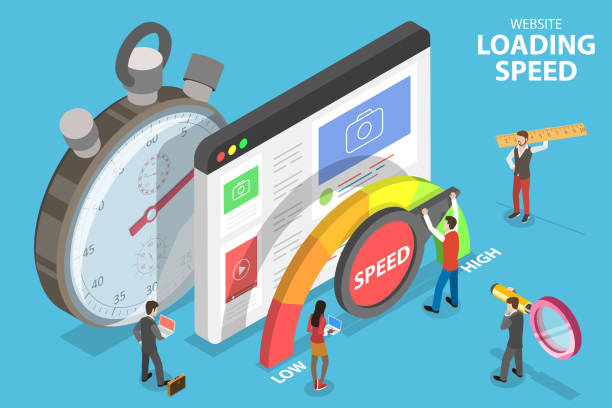
A slow Shopify store can frustrate customers before they even reach the checkout. Product images that take too long to appear, unresponsive navigation and delayed interactions can make shopping difficult, particularly on mobile devices.
For e-commerce businesses in the UAE and across the Gulf, website performance deserves attention alongside product selection, pricing and customer service. Shoppers may access stores through different mobile networks, devices and browsing conditions, making it important to understand how a storefront performs beyond a desktop computer.
Improving Shopify store speed begins with identifying what is slowing the website down. Large media files, unnecessary third-party scripts, inefficient theme code and poorly implemented integrations are common areas worth investigating.
The objective is not simply to achieve a higher speed-test score. It is to make browsing, product selection and purchasing more responsive for real customers.
Understand What Affects Shopify Store Speed
Shopify provides managed hosting and content delivery infrastructure for its online stores. Merchants generally do not control the platform’s underlying servers or database architecture.
This is an important distinction because many general website optimization recommendations do not apply directly to Shopify.
For most Shopify merchants, performance work should focus on the storefront elements they can influence. These include theme customization, product images, videos, installed applications, external scripts and certain third-party integrations.
A slow product page, for example, may be caused by a large hero image, several marketing scripts or JavaScript that delays user interactions.
Before making changes, examine the homepage, product pages and collection pages separately. Each may have different performance problems.
A homepage with a large video banner can behave very differently from a product page containing image galleries, reviews and recommendation widgets.
Identifying the affected pages helps avoid unnecessary changes elsewhere in the store.
Measure Performance Before Making Changes
Google’s Core Web Vitals provide a useful starting point for evaluating how visitors experience a website.
Three measurements are particularly important.
- Largest Contentful Paint (LCP) measures when the largest visible content element finishes rendering. For a good experience, Google recommends an LCP of 2.5 seconds or less.
- Interaction to Next Paint (INP) measures responsiveness to user interactions. A good INP is 200 milliseconds or less.
- Cumulative Layout Shift (CLS) measures unexpected movement of visible page elements. A good CLS score is 0.1 or less.
These thresholds are generally evaluated at the 75th percentile of real-user visits.
Google PageSpeed Insights can help identify performance problems using laboratory testing and, where available, real-user data.
Laboratory results are useful for diagnosing technical issues, but they do not always reflect how every customer experiences a store.
For Gulf-based businesses, testing should consider common mobile devices, realistic network conditions and the pages customers visit most frequently.
Record the results before making changes so that improvements can be measured afterward.
Optimize Product Images Without Sacrificing Quality
Product photography is essential for online shopping, but large image files can increase page weight and delay loading.
High-resolution images are useful when customers need to inspect product details. However, displaying an unnecessarily large file in a small product thumbnail wastes bandwidth.
Shopify supports image optimization and delivery features, including appropriately sized image variants and modern formats where supported.
Merchants should still upload suitable source images and ensure their themes request image dimensions appropriate for each display.
For example, a collection page displaying dozens of product thumbnails should not load full-resolution images intended for detailed product inspection.
Images below the initial visible area can often be loaded later through lazy loading.
The main image visible when a page first opens may need different treatment because delaying it can negatively affect Largest Contentful Paint.
Image dimensions should also be reserved in the layout to reduce unexpected movement as content loads.
For product pages, the priority is to balance image quality, loading performance and the customer’s ability to evaluate the product.
Review Shopify Apps and Third-Party Scripts
Shopify applications can add valuable functionality, including customer reviews, analytics, loyalty programmes, product recommendations and marketing tools.
However, some applications introduce JavaScript, stylesheets or external network requests that affect storefront performance.
An app may continue to influence a page even when its visible features are not being used.
Start by reviewing the installed applications and identifying which ones load code on customer-facing pages.
Check whether several applications provide overlapping functions. A store may not need multiple tools performing similar analytics, popup or promotional activities.
Where possible, test the performance impact of individual apps in a duplicate theme or appropriate development environment.
Removing an application does not always remove every custom code change associated with it. Older integrations may require additional review.
The objective is not to eliminate every third-party tool. It is to retain applications that provide meaningful business value while reducing unnecessary performance overhead.
Improve Theme Code and Page Rendering
A Shopify theme determines much of the storefront’s visual presentation and interactive behaviour.
Poorly implemented theme customizations can increase loading time, delay rendering or make navigation less responsive.
Common issues include excessive JavaScript, unnecessary animation libraries, large stylesheets and scripts that run on pages where they are not needed.
Developers should examine how theme assets are loaded and whether nonessential scripts can be deferred without affecting functionality.
Custom Liquid templates should also be reviewed for unnecessary complexity and inefficient rendering patterns.
A newer theme is not automatically faster than an older one. Performance depends on its implementation, installed apps, media assets and custom modifications.
Before replacing an existing theme, merchants should compare the cost of migration with the likely benefits of optimizing the current design.
Theme changes should also preserve accessibility, mobile usability and important shopping functions.
A fast storefront is of little value if customers struggle to navigate product options or complete a purchase.
Make Mobile Shopping More Responsive
Mobile performance is particularly important for e-commerce stores serving customers across the UAE and Gulf markets.
A responsive design should adapt to different screen sizes without requiring excessive scrolling, zooming or complicated navigation.
However, mobile optimization involves more than adjusting the layout.
Heavy JavaScript can make a page feel unresponsive even after its content becomes visible. This may affect actions such as opening menus, selecting product variants or adding items to a cart.
Interaction to Next Paint can help identify responsiveness problems.
Developers should investigate long-running JavaScript tasks, unnecessary event handlers and third-party code that delays interface updates.
Touch targets should be large enough to use comfortably, while menus and product controls should respond predictably.
Testing on an actual mid-range smartphone can reveal problems that are less obvious on a powerful desktop computer.
The goal is a storefront that remains usable under realistic browsing conditions.
Understand Shopify Hosting and Content Delivery
Server location and content delivery can influence website performance, but Shopify merchants generally do not choose their own hosting region for the standard Shopify storefront.
Shopify manages its hosting infrastructure and provides content delivery services for supported storefront assets.
This means merchants should not assume that purchasing separate regional hosting will make their Shopify store faster.
For Gulf customers, the more practical concern is whether external services introduce additional network delays.
An embedded widget, external font, analytics script or third-party application may depend on infrastructure outside Shopify’s managed environment.
These requests can affect loading performance, particularly when several services must respond before important page elements become usable.
Use browser developer tools or performance-testing reports to identify slow external requests.
If a third-party service is responsible for a delay, consider whether it is necessary, whether it can load later or whether an alternative implementation is available.
Shopify’s managed infrastructure reduces the need for merchants to handle certain server-level tasks, but it does not eliminate performance problems caused by external integrations.
Use Caching and Asset Delivery Appropriately
Browser caching can reduce repeated downloads of certain website resources.
When a visitor returns to a store, the browser may reuse previously downloaded assets according to applicable cache policies.
This can improve subsequent page loads, but caching does not mean that files are stored permanently or that every visit will be instantaneous.
Shopify manages caching and content delivery for many supported storefront resources.
Merchants and developers should therefore focus on the elements they control, such as unnecessary external requests, oversized assets and custom resources served from third-party systems.
Performance reports can help identify resources that are repeatedly downloaded or delivered inefficiently.
Caching should be evaluated as part of the wider loading process rather than treated as a guaranteed solution to slow storefront performance.
Keep Product Search and Filtering Efficient
Product discovery is another important part of the shopping experience.
Customers should be able to navigate collections, apply filters and find relevant products without unnecessary delays.
On Shopify, merchants generally cannot directly modify the platform’s underlying database or optimize its internal queries.
Performance improvements should instead focus on supported storefront features, theme implementation and third-party search or filtering applications.
A product-search tool that relies on extensive client-side processing may affect responsiveness, particularly on lower-powered devices.
Collection pages containing numerous interactive elements can also become difficult to use if scripts compete for browser resources.
Review whether search and filtering features are appropriate for the catalogue size and customer requirements.
Where a third-party application is involved, assess its performance impact and whether its benefits justify the additional code.
The aim is to make product discovery straightforward without introducing unnecessary technical complexity.
Test Performance Across Important Store Pages
A single homepage speed test cannot represent the performance of an entire Shopify store.
Product pages may contain image galleries, reviews, inventory information and variant selectors. Collection pages may include filters, sorting tools and multiple product images.
Each page type should be evaluated separately.
A practical testing process begins by selecting representative pages, recording their current performance and identifying the main issues.
After making a change, repeat the test using comparable conditions.
For example, if a large homepage banner is replaced with a smaller image, compare the Largest Contentful Paint results before and after the change.
If a marketing application is removed, examine whether interaction responsiveness or script execution improves.
Changes should be introduced carefully so that their effects can be understood.
For stores with sufficient real-user data, performance trends over time provide a more reliable picture than one isolated laboratory test.
Can Faster Shopify Stores Improve Conversions?
Website speed can influence the shopping experience, but the relationship between performance and conversion rates is not automatic.
A faster product page may make browsing easier and reduce frustration. However, customers also consider pricing, product availability, delivery options, payment methods and trust in the retailer.
A store with excellent loading performance may still struggle to convert visitors if its products or checkout experience do not meet customer expectations.
Businesses should therefore measure performance improvements alongside commercial outcomes.
Useful indicators include product-page engagement, add-to-cart activity, checkout progression and completed purchases.
Where possible, compare results over suitable periods while accounting for changes in advertising campaigns, promotions and customer traffic.
Speed optimization should be treated as one part of improving the overall shopping experience, not as a guaranteed method of increasing revenue.
A Practical Shopify Speed Review
For merchants managing a Shopify store in the Gulf, performance improvements can begin with a straightforward review.
First, identify the pages that matter most to customers and measure their current performance.
Next, examine large images, videos, third-party applications and theme scripts that may be delaying loading or interaction.
Review mobile usability and investigate whether external services introduce unnecessary network requests.
Make changes in a controlled manner, test the results and confirm that important shopping functions still work correctly.
Performance should be reviewed after major theme changes, new app installations or significant additions to storefront content.
There is no universal requirement to conduct a complete audit every month. The appropriate frequency depends on how often the store changes, its traffic and the performance issues being observed.
A consistent measurement process is more valuable than repeatedly making changes without understanding their effects.
Conclusion
Improving Shopify store speed requires attention to the elements that influence real customer experiences.
For e-commerce businesses in the UAE and across the Gulf, the most useful improvements often involve better image delivery, careful management of third-party applications, efficient theme code and responsive mobile interactions.
Shopify manages much of the underlying hosting and content delivery infrastructure, so merchants should concentrate on the storefront components they can realistically control.
Core Web Vitals and performance-testing tools can help identify problems, while website analytics can show whether improvements are associated with better shopping outcomes.
A well-performing Shopify store should make it easier for customers to browse products, understand their options and complete purchases without unnecessary delays.
Frequently Asked Questions
Why is my Shopify store loading slowly?
Common causes include oversized images, heavy video content, unnecessary third-party scripts, inefficient theme customizations and slow external integrations. Performance testing can help identify the main problems.
Can I change my Shopify store’s hosting region?
Standard Shopify merchants generally cannot choose the hosting region for Shopify’s managed storefront infrastructure. Performance work should focus on theme code, media, apps and external services.
What are good Core Web Vitals scores for Shopify?
Google’s good-experience thresholds are LCP of 2.5 seconds or less, INP of 200 milliseconds or less, and CLS of 0.1 or less, generally assessed at the 75th percentile of real-user visits.
Do Shopify apps affect website speed?
Some apps can affect loading and responsiveness by adding scripts, stylesheets or external requests. Their impact varies, so merchants should evaluate individual applications rather than assume all apps are harmful.
Does a faster Shopify store guarantee more sales?
No. Better performance can improve usability, but conversion rates also depend on product demand, pricing, customer trust, delivery options and the checkout experience.
How often should Shopify performance be tested?
Performance should be reviewed after significant theme changes, new app installations and major storefront updates. Regular monitoring is also useful for identifying problems that develop over time.
References and Further Reading
- Shopify Help Center: https://help.shopify.com/ — Shopify storefront management and performance guidance.
- Shopify Developer Documentation: https://shopify.dev/ — Theme development, storefront architecture and performance-related resources.
- Google web.dev: https://web.dev/articles/vitals — Core Web Vitals definitions and recommended thresholds.
- Google PageSpeed Insights: https://pagespeed.web.dev/ — Website performance analysis and diagnostics.
- Chrome Developers: https://developer.chrome.com/docs/devtools/performance/ — Browser performance investigation and JavaScript profiling.









Leave a Reply