






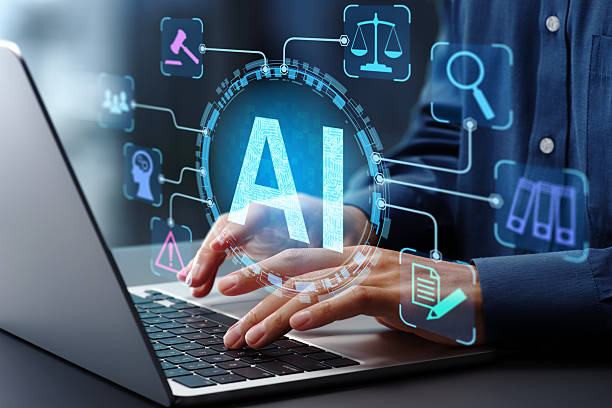
Artificial intelligence is reshaping how visual content is imagined, designed, and delivered. From generating entire layouts to refining typography in seconds, AI-powered design tools—such as Canva’s Magic Studio, Adobe Firefly, and Fotor’s AI Image Generator—have made creative work more accessible and efficient.
Yet, as with any major technological leap, the new capabilities come with clear constraints, particularly in originality, nuance, and control.
Key Insights for Readers
- AI tools dramatically reduce the time and cost of producing quality visuals.
- They democratize design, allowing non-experts to produce professional-grade work.
- However, they often lack true creative reasoning and can produce generic outcomes.
- Ethical and copyright concerns remain unresolved, especially regarding training data.
- The best results come from combining human intuition with AI efficiency.
The Rise of the AI Design Assistant
AI-driven design tools automate many creative processes—from layout balancing to image generation—through machine learning models trained on vast visual datasets. This means designers and marketers can focus more on concept and storytelling while the algorithm handles execution. For freelancers or small businesses without in-house design teams, these systems act as an “always-on art director.”
Before exploring their deeper advantages, it’s essential to understand that these systems don’t “design” in the human sense. They pattern-match. They analyze thousands of examples to predict what a “good” visual composition looks like, rather than intentionally creating something new.
Advantages of AI in Graphic Design
AI tools bring efficiency and accessibility that traditional design workflows can’t match.
Some key strengths include:
- Speed and scalability: Projects that once took hours can be generated in seconds. Campaigns can scale quickly across formats and platforms.
- Accessibility: Non-designers can create visual assets using intuitive prompts or templates—an enormous advantage for small teams and startups.
- Consistency: AI ensures visual uniformity across brand materials by adhering to preset styles and palettes.
- Exploration and inspiration: AI can offer multiple stylistic variations at once, inspiring creative directions human designers might not have considered.
- Cost-effectiveness: Automation reduces the need for extensive manual labor, making design more affordable for individuals and businesses alike.
These benefits represent a shift not just in tools, but in who gets to participate in visual storytelling.
AI for Non-Designers: Creative Power Without a Degree
For those without a professional design background, AI tools act as creative partners rather than replacements. With intuitive prompts and instant feedback, users can quickly produce quality visuals for marketing campaigns, presentations, or social media.
By understanding AI art generator technology, anyone can craft custom images by describing what they need—including style, medium, and mood. For example, Adobe Firefly’s text-to-image tool lets users type descriptions like “a watercolor-style poster of a mountain sunrise,” and instantly produces high-resolution, editable results.
The Limitations of AI-Generated Design
While AI can mimic aesthetics, it cannot fully understand context, emotion, or cultural nuance. Designers often describe AI outputs as “technically right but emotionally flat.”
Here are some core limitations:
| Limitation | Description | Human Workaround |
| Lack of originality | AI relies on existing patterns, making results risk repetition or plagiarism. | Add unique direction, sketches, or brand input for originality. |
| Copyright ambiguity | AI models may be trained on copyrighted materials without consent. | Use ethically sourced or enterprise-grade tools with transparent datasets. |
| Context misinterpretation | AI might misread tone or cultural meaning in imagery. | Apply human review to ensure emotional and cultural accuracy. |
| Limited brand nuance | Algorithms struggle with subtle design languages like “playful sophistication.” | Designers can refine outputs manually or through iterative prompts. |
| Dependence on data | Poor training data equals poor design logic. | Validate tools that use curated, licensed, or brand-specific datasets. |
The irony is that while AI accelerates creation, it can also increase the need for creative editing—requiring human eyes to maintain emotional and brand fidelity.
Building a Balanced Workflow
Adopting AI tools effectively means blending automation with intentional direction. Human oversight remains critical to avoid ethical pitfalls and maintain originality.
Here’s a quick how-to checklist for integrating AI design responsibly:
- Define your intent. Be clear about the emotional or strategic goal of each visual.
- Choose the right tool. Select platforms with transparent data and ethical AI frameworks.
- Guide with specificity. Use detailed prompts describing style, tone, and purpose.
- Iterate and refine. Treat AI outputs as starting points, not final products.
- Ensure compliance. Check copyrights and license terms before public use.
- Add the human touch. Adjust composition, color, and symbolism for authenticity.
- Review for cultural fit. Evaluate whether the visual communicates appropriately across audiences.
A balanced workflow ensures AI accelerates design without eroding its human essence.
Human Creativity in the Loop
Designers increasingly view AI as an assistant that handles production so they can spend more time thinking critically and conceptually. This “human-in-the-loop” model reflects a growing awareness that AI does not replace imagination—it amplifies it when used intentionally.
For brands, this means reframing the designer’s role: not as a tool operator, but as a creative director guiding algorithms toward meaningful outcomes.
Common Questions About AI-Powered Design
Below are some frequently asked questions about using AI in design practice. Before integrating AI into your creative workflow, consider the following insights:
1. Will AI replace professional designers?
Unlikely. While AI can generate templates and visuals quickly, design involves empathy, storytelling, and brand strategy—qualities beyond the current capabilities of algorithms. Human designers will continue to lead on creativity, while AI automates execution.
2. Are AI-generated images safe for commercial use?
It depends on the source. Always verify whether the tool’s training data and output licensing allow for commercial use. Enterprise-grade systems like Adobe Firefly are explicitly trained on licensed datasets to minimize copyright risk.
3. How can businesses maintain originality using AI tools?
Combine AI speed with brand-specific inputs—such as custom color palettes, fonts, or proprietary images. This hybrid approach ensures that outputs remain unique while benefiting from AI efficiency.
4. What skills will designers need in an AI-driven world?
Prompt engineering, critical thinking, and ethical awareness are now as important as color theory or typography. Designers must learn how to guide, curate, and interpret AI-generated content effectively.
5. How do AI tools handle complex visual storytelling?
AI excels at static imagery but struggles with dynamic narrative or emotional continuity across campaigns. Human supervision is essential for story consistency and emotional depth.
6. What’s next for AI in graphic design?
Expect more adaptive tools that learn individual brand preferences and auto-adjust layouts, copy, and color palettes across platforms. Eventually, designers may act more like “orchestrators” of smart, interconnected design systems.
CONCLUSION
AI-powered design tools are transforming creative production by reducing barriers, costs, and turnaround times. They empower anyone—from marketers to entrepreneurs—to produce visually compelling work. However, the artistry, ethics, and emotional resonance of design remain profoundly human.



Leave a Reply