






Stock Illustrations
Every designer knows the struggle. Ideally, a dedicated illustrator crafts a unique visual language that fits your brand like a glove. Reality usually hands you tight deadlines, zero budget, and a need to ship a landing page yesterday.
Stock illustration used to mean sacrificing coherence. You would find a perfect hero image, then fail to find a matching icon for the “Contact Us” section. The result was a Frankenstein UI. Flat design clashed with isometric elements. Nothing fit together.
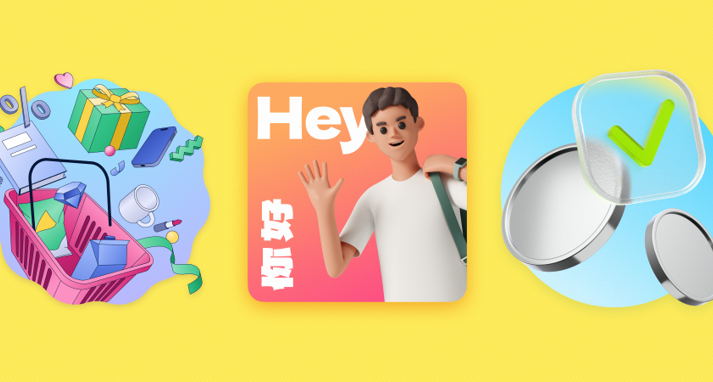
Ouch by Icons8 tackles this fragmentation. It isn’t just a repository of random vector art; it acts like a design system builder. With over 101 illustration styles covering full user experience flows, it raises a big question. Can you actually build a consistent brand identity using off-the-shelf assets?
Establishing A Visual Language For SaaS Products
SaaS design demands specific visuals. A pretty homepage picture isn’t enough. You need a system handling 404 errors, success states, empty carts, and login screens.
Picture a product designer reskinning a fintech dashboard. They need to ditch generic photos for a clean, trusted vector style. Using Ouch, they filter by “Business” or “Technology.” Instead of picking random images, they select a specific style ID-maybe “Business 3D” or a flat “Tech” look.
They grab SVG files for the primary screens. Vectors open directly in Illustrator or Figma. Default palettes get swapped immediately. Stock “blue” transforms into the client’s specific “Navy 500.”
Complex features, like a multi-step onboarding flow, often break single illustrations. That’s where “searchable objects” come in. Ouch splits scenes into layered components. Take a character from scene A, a chart from scene B, and a background from scene C. Keep them in the same style family. Composite a new scene. The onboarding flow looks bespoke, yet every element was a drag-and-drop job.
Rapid Campaign Deployment For Marketing Teams
Marketing teams run at a different speed. Deadlines often trump pixel-perfect customization, but assets can’t look cheap.
Take a marketing manager launching a remote work webinar. They need landing page assets, three email headers, and social graphics for LinkedIn. Hiring a freelancer eats two weeks and half the budget.
Browsing Ouch, the manager picks a trendy, textured style matching the theme. Fifteen illustrations appear. Video calls, coffee breaks, home office setups. All there.
High-res assets go on the landing page. Large PNGs work great (free with attribution, paid plans skip the link). Social ads need movement. Filtering for animated formats reveals Lottie JSON files or GIFs matching the static art.
A specific email header needs a character holding a phone, but the illustration shows a laptop. Using Mega Creator, the integrated tool, the manager swaps the object instantly. No Photoshop required. The campaign launches by 5 PM. A unified theme ties the animated Instagram story to the static email footer.
A Typical Workflow: The Developer’s Quick Fix
Designers aren’t the only ones hunting for assets. Developers often need to patch UI gaps when the design team is offline.
It’s Friday afternoon. A freelance developer is finishing a client site. Functionality works, but “loading” states and error messages are raw text. It feels broken.
- They open the Pichon desktop app (it syncs with the Ouch library).
- Searching for “error” brings up a vector matching the site’s minimal vibe.
- Drag and drop puts the vector right into the code editor.
- Static pages feel dead, so they check for motion. A Rive or Lottie version of the same illustration keeps file sizes low.
- Search results need a placeholder. They search for a thinking clipart. A character scratching their head appears in the exact same line style.
- Code goes in. Edge cases now show personality instead of system fonts.
Comparing The Alternatives
Stock illustration is crowded. Few options offer Ouch’s systemic approach.
Undraw – Undraw dominates open-source. It is free and great for mockups. But popularity is the downfall. Seeing it signals “bootstrapped startup” instantly. It also lacks variety, offering mostly one flat aesthetic.
Freepik – Freepik is massive. Millions of assets exist here. Curation is the problem. You might find one amazing isometric city. Good luck finding a matching icon set or character for the contact page. Cobbling together a consistent look takes hours.
Custom Illustration – This remains the gold standard. Got $5k+ and 8 weeks? Hire a dedicated illustrator. That yields the best results. Ouch doesn’t replace high-end art direction. It bridges the gap between “generic stock” and “fully custom.”
Limitations And When To Look Elsewhere
Ouch offers flexibility, but it isn’t magic. It won’t fit every project.
Uniqueness Limitations
These are public assets. A competitor might use the same “Surreal” style for their blog. If your brand legally requires visual IP ownership, skip stock libraries.
3D Complexity
FBX formats make the beautiful 3D styles useful for artists. 2D designers without Blender skills hit a wall. You are stuck with pre-rendered PNGs or MOV files. Tweaking lighting in Photoshop isn’t an option.
Attribution friction
Free plans are generous but demand a link back. Fine for internal decks. For commercial apps, attribution breaks the product’s immersion. Professional use effectively mandates a subscription.
Practical Strategies For Implementation
Treat the library as a base, not a finished product.
- Commit to one Style ID: Don’t mix “Code 3D” with “Berrry.” Pick one style. Stick to it. This maintains the illusion of custom work.
- Recolor relentlessly: Default colors scream “stock art.” Shift the hue to match your brand’s primary color. The asset immediately feels proprietary.
- Use vector formats: Paid plans let you download SVGs. Remove background clutter or simplify scenes for mobile screens.
- Check the animation support: Planning to animate later? Filter by styles with Lottie or After Effects files attached. Don’t animate static vectors from scratch.
Ouch challenges the idea that brand illustration requires a five-figure budget. It organizes assets into strict families. It covers the unglamorous parts of UX, like 404s. Teams can finally build products that look intentional.



Leave a Reply