






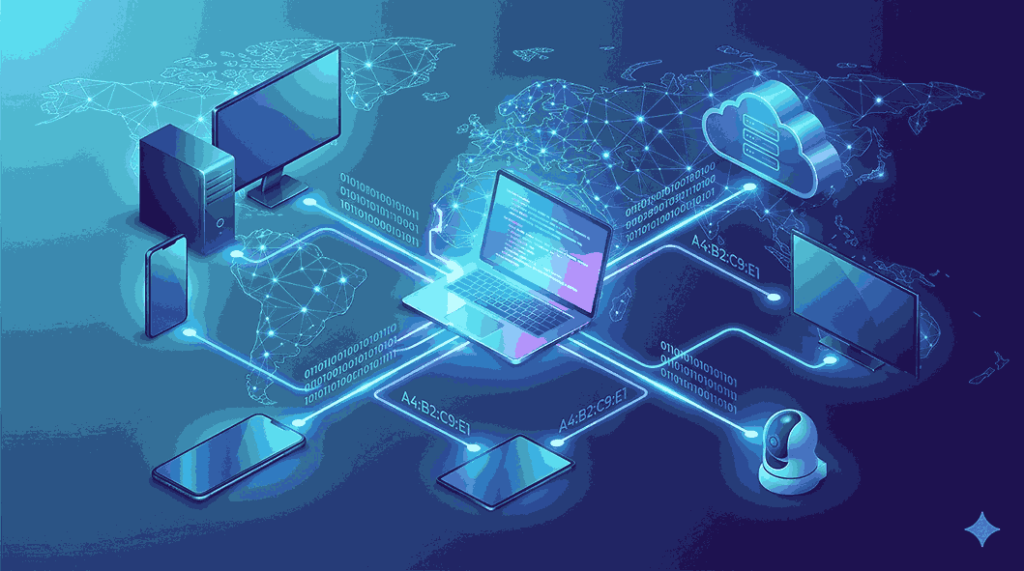
The internet has become an essential part of our daily lives. Whether you’re browsing websites, shopping online, attending virtual meetings, or streaming movies, your device relies on an important technology called an IP address. Many internet users search for what is IP address because they want to understand how devices communicate across the internet.
An IP address serves as the digital identity of every internet-connected device. It ensures that information reaches the correct destination, allowing billions of devices worldwide to communicate seamlessly. Although most users never see this process happening, IP addresses work continuously in the background whenever you access online services.
In this comprehensive guide from Get Answers, you’ll learn what an IP address is, why it’s important, how it works, its different types, IPv4 vs IPv6, security tips, and answers to common questions.
What Is IP Address?
An IP Address (Internet Protocol Address) is a unique numerical identifier assigned to every device connected to a computer network that uses the Internet Protocol for communication.
Every smartphone, computer, tablet, gaming console, smart TV, printer, or IoT device connected to the internet has an IP address. It acts as the device’s digital address, making it possible to send and receive information.
Imagine ordering a package online. Without your home address, the courier wouldn’t know where to deliver it. Similarly, websites and online services use your IP address to know where to send the requested data.
Why Is an IP Address Important?
IP addresses are essential because they allow devices to identify and communicate with each other.
Some of their major functions include:
- Identifying devices connected to the internet
- Enabling communication between networks
- Routing data efficiently
- Supporting online applications
- Connecting users to websites
- Managing internet traffic
- Improving network security
- Supporting cloud services
Without IP addresses, the internet simply wouldn’t function.
How Does an IP Address Work?
Every time you visit a website, a series of events occurs almost instantly.
First, your browser sends a request to access the website.
That request includes your device’s IP address.
The request passes through several routers across the internet.
The website’s server receives your request and prepares the requested webpage.
Finally, the webpage is sent back to your IP address, allowing it to appear in your browser.
This process typically happens within a few milliseconds.
Understanding Internet Protocol
Internet Protocol (IP) is a set of rules that governs how data is transmitted across networks.
It ensures:
- Accurate data delivery
- Proper device identification
- Efficient routing
- Reliable communication
The IP address is simply one part of this larger communication system.
Different Types of IP Addresses
There are multiple categories of IP addresses depending on their purpose.
Public IP Address
A public IP address is assigned by your Internet Service Provider (ISP).
It identifies your network on the public internet.
Whenever you visit a website, the website usually sees your public IP address.
Public IP addresses are commonly used by:
- Home internet connections
- Businesses
- Web servers
- Data centers
Private IP Address
Private IP addresses are assigned inside local networks by routers.
Every device connected to your home Wi-Fi receives its own private IP.
Examples include:
- Laptop
- Mobile phone
- Smart television
- Wi-Fi printer
- Smart speaker
Private IP addresses cannot be accessed directly from the public internet.
Static IP Address
A static IP address remains fixed.
Businesses often purchase static IP addresses because they are useful for:
- Website hosting
- Email servers
- CCTV systems
- Remote desktop access
- File servers
Since the address never changes, services remain consistently accessible.
Dynamic IP Address
Most residential internet users receive dynamic IP addresses.
These addresses are automatically assigned by the ISP and may change periodically.
Advantages include:
- Better address management
- Lower cost
- Increased privacy
- Efficient allocation
Most home broadband users never need a static IP address.
IPv4 Explained
IPv4 is the most commonly used IP version today.
Example:
192.168.1.100
An IPv4 address contains four numerical sections separated by periods.
Each section ranges from 0 to 255.
Because IPv4 uses 32-bit addressing, it supports approximately 4.3 billion unique addresses.
With billions of internet-connected devices now in use, IPv4 addresses have become limited.
IPv6 Explained
IPv6 was developed to replace IPv4.
Example:
2001:db8:85a3::8a2e:370:7334
Unlike IPv4, IPv6 uses 128-bit addressing.
Benefits include:
- Vastly larger address capacity
- Better network performance
- Improved security
- Simplified routing
- Better support for IoT devices
IPv6 ensures that future generations of internet-connected devices can continue to receive unique addresses.
IPv4 vs IPv6
| IPv4 | IPv6 |
|---|---|
| 32-bit address | 128-bit address |
| Limited address space | Nearly unlimited addresses |
| Uses decimal numbers | Uses hexadecimal values |
| Older technology | Modern technology |
| Widely used today | Rapidly expanding worldwide |
Most modern operating systems support both protocols.
How to Find Your IP Address
Finding your IP address is straightforward.
Windows
- Open Command Prompt.
- Type ipconfig.
- Press Enter.
- Locate the IPv4 Address.
MacOS
- Open System Settings.
- Select Network.
- Choose your active internet connection.
- View your assigned IP address.
Android
- Open Settings.
- Tap Wi-Fi.
- Select your connected network.
- Scroll to view your IP address.
iPhone
- Open Settings.
- Tap Wi-Fi.
- Tap your connected network.
- Your IP address will appear under network information.
What Can Someone Learn From Your IP Address?
An IP address can reveal limited information, including:
- Country
- State
- City (approximate)
- Internet Service Provider
- Time zone
It cannot reveal:
- Your exact home address
- Your full name
- Your passwords
- Personal documents
- Banking details
This is why an IP address alone does not expose your identity.
Common Uses of IP Addresses
IP addresses support almost every online activity.
Examples include:
Website Browsing
Websites send requested pages back to your IP address.
Online Gaming
Game servers identify players using their IP addresses.
Video Streaming
Streaming services deliver content to the correct device.
Cloud Storage
Cloud platforms synchronize files using internet communication based on IP addresses.
Video Calls
Applications like Zoom and Microsoft Teams rely on IP communication.
Smart Home Devices
Smart bulbs, security cameras, thermostats, and speakers all communicate using IP addresses.
Is Your IP Address Safe?
Generally, yes.
However, cybercriminals may attempt to misuse exposed IP addresses for activities such as:
- Network scanning
- DDoS attacks
- Unauthorized connection attempts
Fortunately, modern routers include built-in firewalls that provide strong protection.
Tips to Protect Your IP Address
You can improve online privacy by following these recommendations.
Use a VPN
A VPN hides your real public IP address by routing internet traffic through secure servers.
Enable Firewall Protection
Firewalls block suspicious incoming network traffic.
Update Your Router
Regular firmware updates fix security vulnerabilities.
Secure Your Wi-Fi
Always use WPA2 or WPA3 encryption with a strong password.
Avoid Unknown Public Wi-Fi
Public networks may expose users to additional risks.
Common Myths About IP Addresses
Myth 1: IP Addresses Show Your Exact Home Address
False.
They usually reveal only an approximate geographic location.
Myth 2: IP Addresses Never Change
False.
Dynamic IP addresses change periodically.
Myth 3: Every Device Shares the Same IP
False.
Devices usually have unique private IP addresses within the local network.
Myth 4: Only Computers Use IP Addresses
False.
Smartphones, tablets, gaming consoles, smart TVs, printers, and IoT devices all use IP addresses.
The Future of IP Address Technology
The rapid growth of technologies such as Artificial Intelligence, cloud computing, autonomous vehicles, smart cities, and the Internet of Things means billions of additional devices will require internet connectivity.
IPv6 provides enough address space to support this continued growth while improving efficiency and network performance.
As digital transformation continues worldwide, understanding IP addresses becomes increasingly valuable for students, professionals, and everyday internet users.
Conclusion
Understanding what is IP address helps you better appreciate how the internet functions behind the scenes. Every online activity—from browsing websites to sending emails and streaming videos—depends on IP addresses to ensure accurate communication between devices.
Whether you’re learning networking basics, improving your cybersecurity knowledge, or simply satisfying your curiosity, knowing how IP addresses work is an important step toward becoming more digitally aware.
At Get Answerss, we strive to explain technical topics in simple language so that anyone can understand the technology shaping our connected world.









Leave a Reply